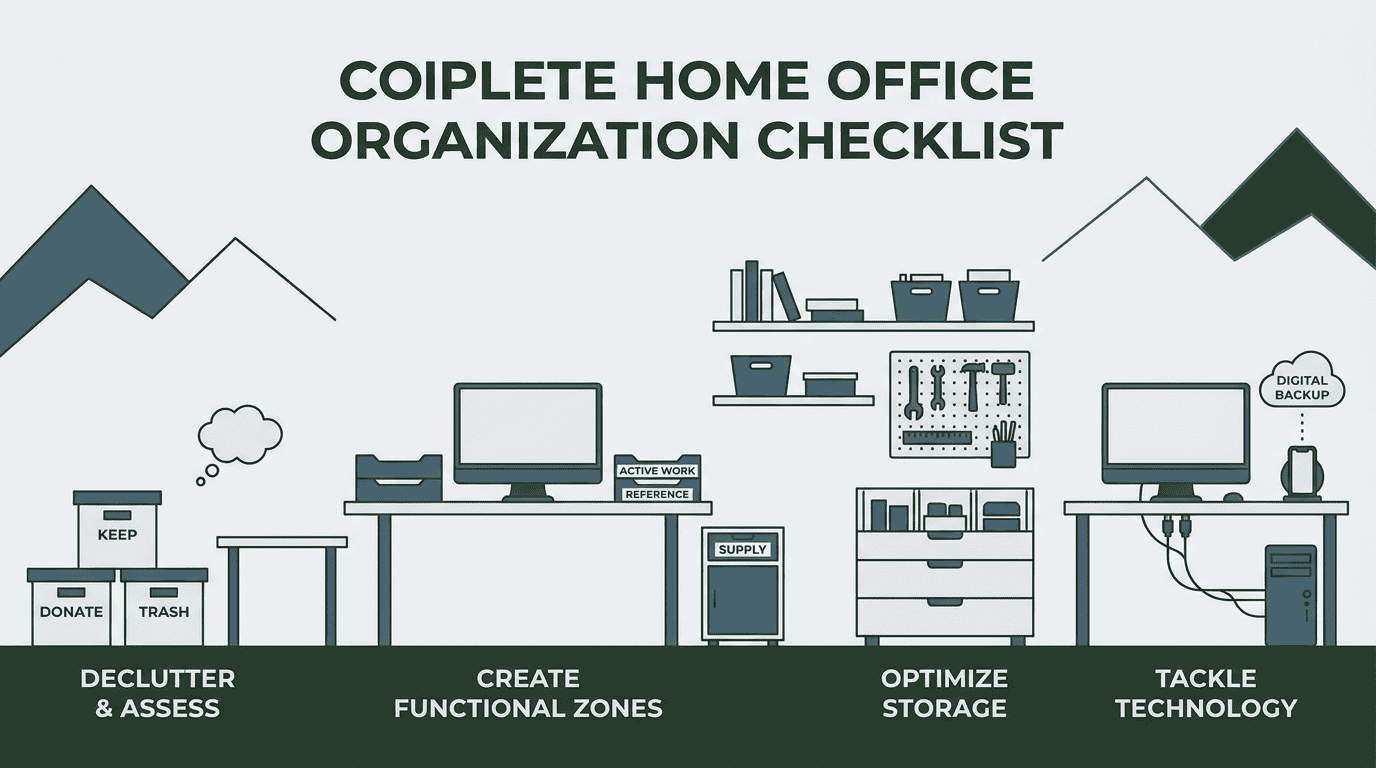
Your Complete Home Office Organization Checklist
A cluttered desk. Papers piling up. Cords tangled everywhere. If your home office feels more chaotic than productive, you’re not alone. Many homeowners in Park City, Utah struggle to maintain an organized workspace, especially when juggling work, family, and everything in between. The good news? Creating a functional, calming home office doesn’t require a complete overhaul—just a thoughtful approach and the right checklist. At Organized to Live Well, we’ve helped countless professionals transform their workspaces from overwhelming to efficient, and we’re sharing our proven system with you.
Why Home Office Organization Matters
Your workspace directly impacts your productivity, focus, and mental clarity. When you can’t find what you need or feel visually overwhelmed by clutter, your stress levels rise and your efficiency plummets. An organized home office creates:
- Mental clarity – Less visual chaos means less mental distraction
- Time savings – No more hunting for documents or supplies
- Professional credibility – A clean background for video calls
- Work-life boundaries – A defined space helps separate professional and personal time
The Essential Home Office Organization Checklist
Phase 1: Declutter and Assess
Clear Everything Out
- Remove all items from your desk, drawers, and shelves
- Sort items into categories: keep, donate, trash, relocate
- Apply the “Use it or Lose it” philosophy—if you haven’t used it in six months, it’s time to let it go
- Be honest about duplicate items (do you really need five staplers?)
Evaluate Your Space
- Measure your available workspace
- Identify natural light sources
- Note electrical outlet locations
- Consider traffic flow and door clearances
- Assess storage needs based on what you’re keeping
Phase 2: Create Functional Zones
Designate Activity Areas
- Active work zone – Your primary desk surface for daily tasks
- Reference zone – Frequently accessed files and materials within arm’s reach
- Supply zone – Pens, paper, and office supplies in designated containers
- Technology zone – Charging stations, printers, and equipment with proper cable management
- Archive zone – Infrequently accessed documents stored away from prime workspace
Establish a Paper Management System
- Create an inbox for incoming mail and documents
- Set up action folders: To Do, To File, To Read
- Implement a filing system that makes sense for your work
- Designate a shredding bin for sensitive documents
- Schedule regular paper purges (weekly or monthly)
Phase 3: Optimize Storage Solutions
Vertical Space
- Install floating shelves for books and decorative items
- Use wall-mounted organizers for supplies
- Add pegboards for frequently used tools
- Consider overhead storage for seasonal or archived items
Drawer Organization
- Use drawer dividers to separate categories
- Place most-used items in the top drawer
- Label drawer contents if you share the space
- Keep one junk drawer maximum (and organize it quarterly)
Desktop Management
- Limit desktop items to daily essentials only
- Use trays or organizers to corral small items
- Implement a “less is more” approach to decorations
- Keep one inbox tray for incoming papers
Phase 4: Tackle Technology and Cables
Cable Control
- Label all cords at both ends
- Use cable clips or sleeves to bundle wires
- Mount power strips under the desk
- Remove or recycle old chargers and obsolete cables
- Create a charging station for devices
Digital Organization
- Clean up your computer desktop
- Organize files into logical folders
- Delete duplicate files and old downloads
- Set up cloud backup systems
- Unsubscribe from unnecessary email lists
Phase 5: Maintain Your System
Daily Habits
- Clear your desk at the end of each workday
- File or process papers immediately
- Return items to their designated spots
- Wipe down surfaces
Weekly Tasks
- Sort through your inbox tray
- Recycle or shred processed papers
- Dust shelves and equipment
- Review your to-do system
Monthly Reviews
- Purge unnecessary papers
- Reassess what’s working and what isn’t
- Donate unused supplies
- Deep clean the entire space
Home Office Organization Tips for Park City Professionals
Living in a mountain community means you might have unique considerations:
- Seasonal storage – Rotate ski gear and outdoor equipment away from your office during work hours
- Natural light – Position your desk to maximize those stunning mountain views without screen glare
- Climate control – Organize with Park City’s dry climate in mind; paper and electronics need proper storage
- Multi-purpose spaces – Many homes here have offices that double as guest rooms—create systems that accommodate both functions
When to Call in Professional Help
Sometimes the overwhelm is too much to tackle alone. If you’re facing a major life transition, preparing to move, or simply can’t find the time to implement these systems, professional organizers can help. Book a home office organization session to get personalized support tailored to your specific needs and space.
Professional organizers bring:
- Objective perspective without judgment
- Proven systems that actually work
- Efficiency—what might take you weeks can be done in hours
- Accountability and follow-through
- Respect for your privacy throughout the process
Ready to Transform Your Workspace?
You don’t have to live with the stress of a chaotic home office. With this checklist and a commitment to maintaining your systems, you can create a workspace that supports your productivity and peace of mind. Remember, organization isn’t about perfection—it’s about creating functional, predictable, and logical systems that work for your life.
If you’re ready to reclaim your workspace and your sanity, contact us today to schedule your home office organization consultation. Let’s create a space where you can do your best work.
Frequently Asked Questions
How long does it take to organize a home office?
The timeline varies based on the size of your space and the amount of clutter. A small office might take 4-6 hours, while a larger space with years of accumulated papers and supplies could require 8-12 hours or multiple sessions. Breaking the project into phases—as outlined in this checklist—makes it more manageable if you’re tackling it yourself.
What should I do with old documents and papers?
Start by identifying what you legally need to keep (tax documents for 7 years, property records, etc.). Scan important documents you want to preserve digitally, then shred sensitive papers and recycle the rest. For business owners, consult with your accountant about retention requirements before purging financial records.
How do I keep my home office organized once I’ve set up systems?
Consistency is key. Implement the “one touch” rule—deal with papers and items once rather than shuffling them around. Spend 5-10 minutes at the end of each workday resetting your space. Schedule monthly reviews to catch clutter before it accumulates. Most importantly, if a system isn’t working, adjust it rather than abandoning organization altogether.